
Go to the content
How to install VPN on Linux?
Description
Topics: Remote Access and Connectivity (VPN and WiFi)
Select network settings.
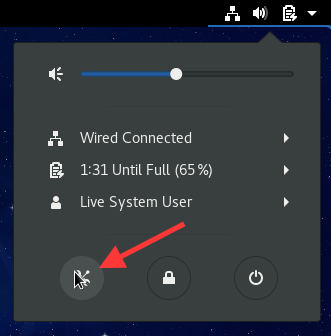
Select Network.

Press the + button to add a new network connection.
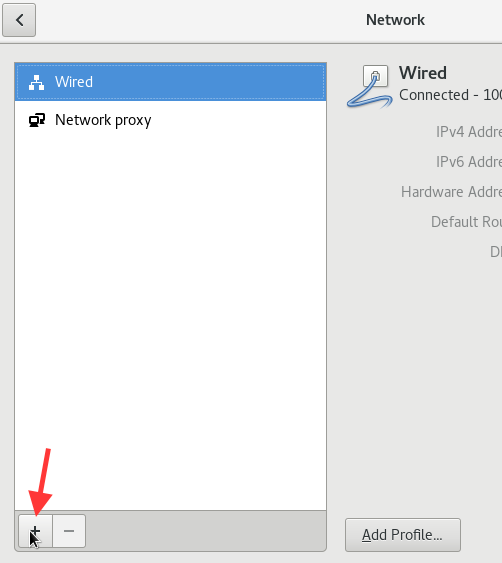
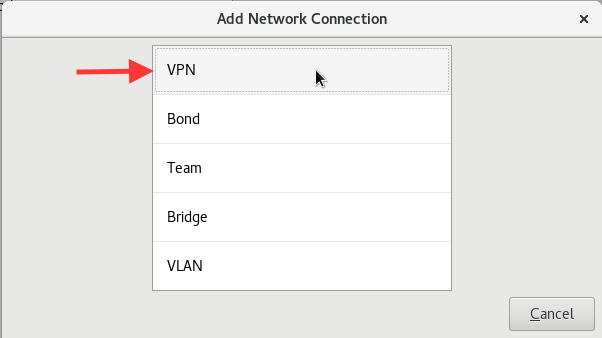
Select the VPN item.
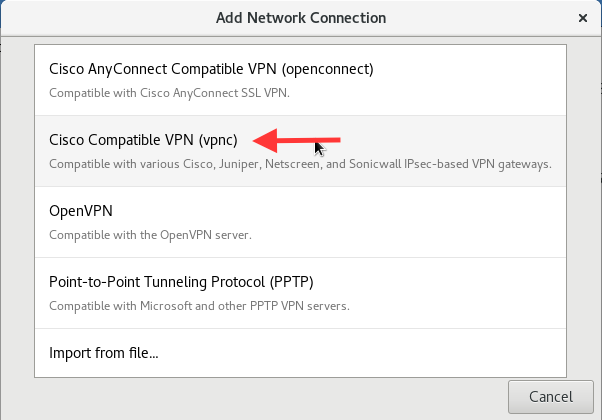
Select Cisco Compatible VPN (vpnc). If this item is not listed, you will need to install the appropriate package: refer to your distribution’s documentation.
Select the Identity option and fill in the fields. In particular, in the Gateway field, enter vpngw.sns.it, in the Username and Password fields, enter your University credentials, and in the Group Name and Group Password fields, enter VPNSNS. Press Add.
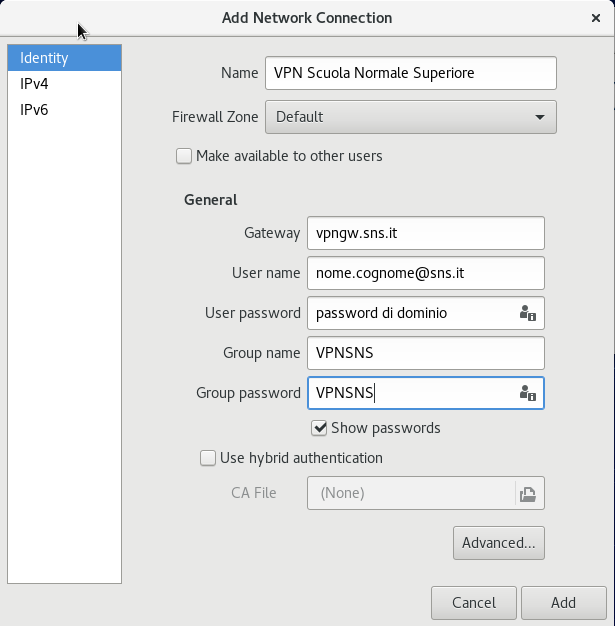
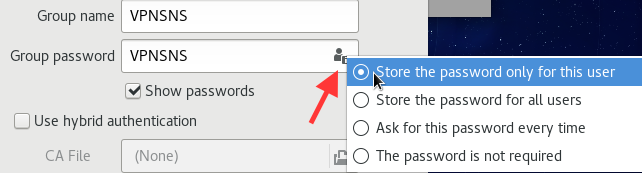
To save your password for future logins, click the icon in the Group password text field. A menu like the one shown below will open.
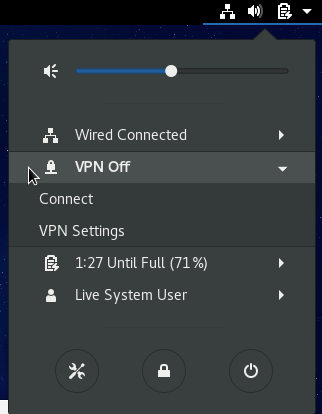
The procedure described above only needs to be performed the first time. Subsequent times, to connect to the VPN, click on the bar at the top right and select Connect.
Last modification: 05/05/2026